Agent Skills
The sq Agent Skill helps coding assistants use an
already-installed sq CLI: SLQ and native SQL, @ handles, output formats,
inspect, diff, and tbl, plus driver-specific notes under references/. It
does not install the sq binary—install sq first, then
add the skill to your assistant.
Canonical sources live in the GitHub repository under
skills/sq/
(SKILL.md and references/*.md).
Prerequisites
sqon yourPATHfrom a normal install.- Verify the CLI:
sq --version
sq help
sq driver ls
Install the skill
Pick one path below. Adjust GitHub URLs if you use a fork or mirror.
npx skills (recommended)
npx skills add neilotoole/sq
This pulls the /sq skill from the default location of https://github.com/neilotoole/sq.
Claude Code plugin
Claude Code can load the skill as a
plugin via the in-repo
.claude-plugin/
catalog (marketplace sq-io, plugin sq).
Add the marketplace (GitHub URL or local checkout path):
/plugin marketplace add https://github.com/neilotoole/sqInstall the plugin:
/plugin install sq@sq-ioRun
/reload-pluginsif the skill does not appear.
For a local checkout, pass the repository path to marketplace add instead of
the GitHub URL. See Claude’s
plugin marketplaces doc
for branches, updates, and troubleshooting.
Cursor and other editors
Follow your editor’s documentation for Agent Skills or project skills
paths. The payload is the same tree as skills/sq/ in this repository; only
the install location differs by product and version. The easiest path
is usually to use the npx skills instructions flow, as this currently
supports more than 20 different agents out of the box.
Manual copy
Copy the
skills/sq/ directory
into your agent’s skills location (see your tool’s Agent Skills documentation
for the expected directory layout), or open
SKILL.md and
follow its headings.
Usage
Once installed, assistants should treat the skill as progressive disclosure:
- Start from
SKILL.mdfor command summaries and links into sq.io docs. - Load driver-specific files under
references/when the task names a database or file format (see the table inSKILL.md).
The skill intentionally defers to sq help, sq <cmd> --help, and
sq.io rather than duplicating full reference material.
For the raw source, see SKILL.md on GitHub.
Updating
npx skills: Re-runnpx skills add …after releases or when you want the latestskills/sq/from the default branch.- Claude plugin: Use your marketplace’s update flow (see Claude Code docs).
sqbinary: Upgradesqseparately via your package manager; the skill and the CLI are versioned independently.
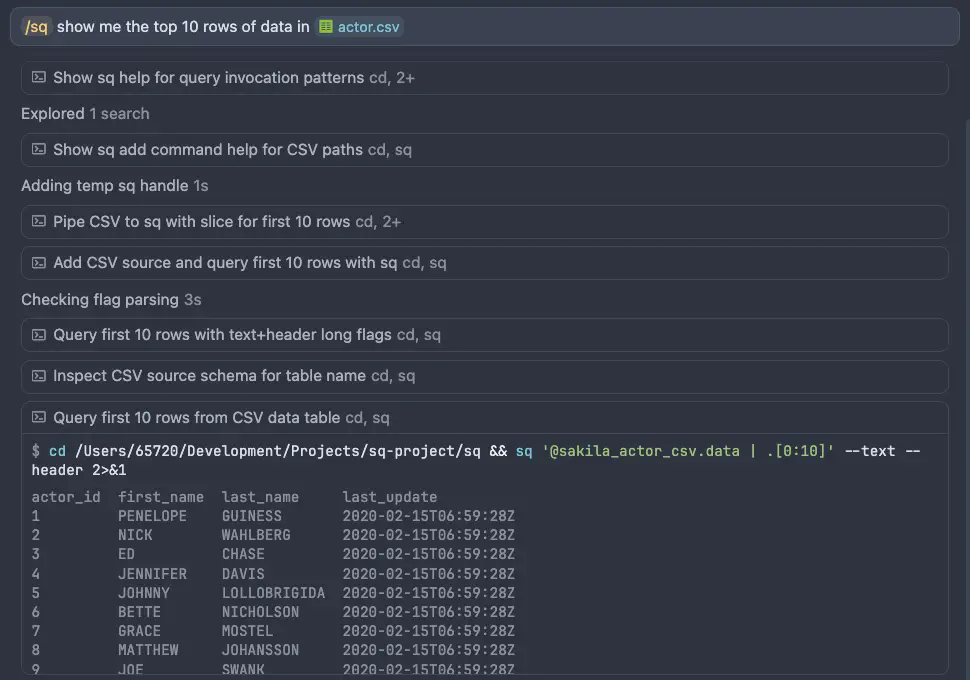
Example
FAQ
Does the skill replace reading the docs?
No. It steers assistants toward this website and sq --help output.
Do I need the skill to use sq?
No. It is optional context for AI-assisted workflows.
Air-gapped or offline?
Copy skills/sq/ from a release tarball or clone; you do not need npx if you
install manually.
Can I use a fork?
Yes. Point npx skills add and marketplace URLs at your fork’s GitHub URL or
local path.