Query Guide
sq implements a jq-style query language, formally
known as SLQ.
Behind the scenes, all sq queries execute against a SQL database. This is true even for
document sources such as CSV
or XLSX. For those document
sources, sq loads the source data into an ingest database,
and executes the query against that database.
sq’s query language
and execute database-native SQL queries using the sq sql command.sq query command has many flags. See the sq command reference
for details.Fundamentals
Let’s take a look at a query that shows the main elements.
$ sq '@sakila_pg | .actor | where(.actor_id < 10) | .first_name, .last_name | .[0:3]'
first_name  last_name
PENELOPE    GUINESS
NICK        WAHLBERG
ED          CHASE
You can probably guess what’s going on above. This query has 5 segments:
| Handle | Table | Filter | Column(s) | Row Range |
|---|---|---|---|---|
@sakila_pg | .actor | where(.actor_id < 10) | .first_name, .last_name | .[0:3] |
Ultimately the SLQ query is translated to a SQL query, which is executed
against the @sakila_pg source (which in this example is a Postgres
database). The generated SQL query will look something like:
SELECT "first_name", "last_name" FROM "actor"
WHERE "actor_id" < 10
LIMIT 3 OFFSET 0
sq generates for a query, without executing it, add the
--render-sql flag.Shorthand
For a single-table query, you can concatenate the handle and table name.
In this example, we list all the rows of the actor table.
# Longhand
$ sq '@sakila_pg | .actor'

# Shorthand
$ sq '@sakila_pg.actor'
If the query only has a single segment and doesn’t contain any shell delimiters or control chars, you can omit the quotes:
$ sq @sakila_pg.actor
If the query is against the active source, then you don’t even need to specify the handle.
$ sq .actor
You can override the active source
for the current query using the --src flag, or override the source’s
catalog and/or schema using --src.schema,
or even combine the two.
# Query @sakila_pg instead of the active source.
$ sq --src @sakila_pg '.actor'

# Query using the "public" schema of the active source's current catalog.
$ sq --src.schema public '.actor'

# Query using the "public" schema of the active source's "inventory" catalog.
$ sq --src.schema inventory.public '.products'

# Query using the "public" schema of @sakila_pg's "inventory" catalog.
$ sq --src @sakila_pg --src.schema inventory.public '.products'
Filter results (where)
Use the where() mechanism to filter results.
$ sq '.actor | .first_name, .last_name | where(.first_name == "TOM")'
first_name  last_name
TOM         MCKELLEN
TOM         MIRANDA
Ultimately a filter is translated into a SQL WHERE clause such as:
SELECT "first_name", "last_name" FROM "actor" WHERE "first_name" = "TOM"
Operators
The typical comparison operators are available in expressions:
$ sq '.actor | where(.actor_id < 3)'
actor_id  first_name  last_name  last_update
1         PENELOPE    GUINESS    2020-06-11T02:50:54Z
2         NICK        WAHLBERG   2020-06-11T02:50:54Z
| Operator | Description |
|---|---|
== | Equal to |
!= | Not equal to |
< | Less than |
<= | Less than or equal to |
> | Greater than |
>= | Greater than or equal to |
You can use boolean operators (&&, ||) to combine expressions.
$ sq '.actor | where(.actor_id <= 2 || .actor_id == 105)'
actor_id  first_name  last_name  last_update
1         PENELOPE    GUINESS    2020-06-11T02:50:54Z
2         NICK        WAHLBERG   2020-06-11T02:50:54Z
105       SIDNEY      CROWE      2020-06-11T02:50:54Z
For boolean and boolean-like (bit, int) columns, you can compare using true and false literals.
$ sq '.people | where(.is_alive == false)'
name        is_alive
Kubla Khan  false

$ sq '.people | where(.is_alive == true)'
name         is_alive
Kaiser Soze  true
Use parentheses to group expressions.
$ sq '.actor | where(.actor_id <= 2 || (.actor_id > 100 && .first_name == "GROUCHO"))'
actor_id  first_name  last_name  last_update
1         PENELOPE    GUINESS    2020-06-11T02:50:54Z
2         NICK        WAHLBERG   2020-06-11T02:50:54Z
106       GROUCHO     DUNST      2020-06-11T02:50:54Z
172       GROUCHO     WILLIAMS   2020-06-11T02:50:54Z
Grouping and sorting
These constructs shape the result set after filtering. Like
where, each maps to a SQL clause: group_by and
having to GROUP BY / HAVING, order_by to ORDER BY, and unique to
DISTINCT.
group_by
Use group_by to group results.
$ sq '.payment | .customer_id, sum(.amount) | group_by(.customer_id)'
This translates into:
SELECT "customer_id", sum("amount") FROM "payment" GROUP BY "customer_id"
You can use multiple terms in group_by:
$ sq '.payment | .customer_id, .staff_id, sum(.amount) | group_by(.customer_id, .staff_id)'
You can also use functions inside group_by. For example, to group the payment
amount by month:
$ sq '.payment | _strftime("%Y/%m", .payment_date), sum(.amount) | group_by(_strftime("%Y/%m", .payment_date))'
strftime('%Y/%m', "payment_date")  sum("amount")
2005/05                            4824.429999999861
2005/06                            9631.87999999961
That translates into:
SELECT strftime('%Y/%m', "payment_date"), sum("amount") FROM "payment"
GROUP BY strftime('%Y/%m', "payment_date")
In practice, you probably want to use column aliases:
$ sq '.payment | _strftime("%Y/%m", .payment_date):month, sum(.amount):amount | group_by(.month)'
month    amount
2005/05  4824.429999999861
2005/06  9631.87999999961
Note the _strftime function in the example above, and in particular note the
leading underscore. That function is
proprietary
to SQLite: it won’t work with Postgres,
MySQL etc. sq passes functions through
to the backend, and some of those functions won’t be portable to other data sources.
TLDR: Use proprietary functions with caution.
You can also use the gb synonym for brevity.
$ sq '.payment | .customer_id, sum(.amount) | gb(.customer_id)'
having
Use having to filter results after grouping. It must always be preceded
by group_by.
$ sq '.payment | .customer_id, sum(.amount) |
group_by(.customer_id) | having(sum(.amount) > 180 && sum(.amount) < 195)'
customer_id  sum(.amount)
178          194.61
459          186.62
137          194.61
That renders to something like:
SELECT "customer_id", sum("amount") AS "sum(.amount)" FROM "payment"
GROUP BY "customer_id" HAVING sum("amount") > 180 AND sum("amount") < 195
order_by
Use order_by to sort results.
$ sq '.actor | order_by(.first_name)'
actor_id  first_name  last_name  last_update
71        ADAM        GRANT      2006-02-15T04:34:33Z
132       ADAM        HOPPER     2006-02-15T04:34:33Z
This translates to:
SELECT * FROM "actor" ORDER BY "first_name"
Change the sort order by appending + (ascending) or - (descending)
to the column selector:
$ sq '.actor | order_by(.first_name+, .last_name-)'
actor_id  first_name  last_name  last_update
132       ADAM        HOPPER     2006-02-15T04:34:33Z
71        ADAM        GRANT      2006-02-15T04:34:33Z
That query becomes:
SELECT * FROM "actor" ORDER BY "first_name" ASC, "last_name" DESC
For interoperability with jq, you can use the
sort_by
synonym:
$ sq '.actor | sort_by(.first_name)'
And there’s also the ob synonym for brevity:
$ sq '.actor | ob(.first_name)'
unique
unique filters results, returning only unique values.
# Return only unique first names
$ sq '.actor | .first_name | unique'
unique maps to the SQL DISTINCT keyword:
SELECT DISTINCT "first_name" FROM "actor"
You can also use the uniq synonym:
$ sq '.actor | .first_name | uniq'
Row range
You can limit the number of returned rows using the row range construct .[x:y].
Note that the elements are zero-indexed.
$ sq '.actor | .[3]'      # Return row index 3 (fourth row)
$ sq '.actor | .[0:3]'    # Return rows 0-3
$ sq '.actor | .[:3]'     # Same as above; return rows 0-3
$ sq '.actor | .[100:]'   # Return rows 100 onwards
At the backend, a row range becomes a LIMIT x OFFSET y clause:
SELECT * FROM "actor" LIMIT 3 OFFSET 2
Column aliases
You can give an alias to a column expression using .name:alias.
For example:
$ sq '.actor | .first_name:given_name, .last_name:family_name'
given_name   family_name
PENELOPE     GUINESS
NICK         WAHLBERG
On the backend, sq uses the SQL column AS alias construct. The query
above would be rendered into SQL like this:
SELECT "first_name" AS "given_name", "last_name" AS "family_name" FROM "actor"
This works for any type of column expression, including functions.
$ sq '.actor | count():quantity'
quantity
200
It’s common to alias whitespace names:
$ sq '.actor | ."first name":first_name, ."last name":last_name'
given_name  family_name
PENELOPE    GUINESS
NICK        WAHLBERG
But note that the alias itself can contain whitespace if desired. Simply enclose the alias in double quotes.
$ sq '.actor | .first_name:"First Name"'
First Name
PENELOPE
NICK
The alias may even be a reserved word such as count; sq quotes it in the
generated SQL, so .first_name:count renders as "first_name" AS "count".
An argument reference such as $x can’t be used as
an alias, however.
Whitespace names
If a table or column name has whitespace, surround the name in quotes.
$ sq '.actor | ."first name", ."last name"'
$ sq '."film actor" | .actor_id'
Select literal
You can select a literal as a column value:
# Postgres source
$ sq '.actor | .first_name, "X", .last_name'
first_name  X  last_name
PENELOPE    X  GUINESS
NICK        X  WAHLBERG
You may want to alias the literal column:
$ sq '.actor | .first_name, "X":middle_name, .last_name'
first_name  middle_name  last_name
PENELOPE    X            GUINESS
NICK        X            WAHLBERG
Select expression
In addition to literals, you can also select expressions. If the
expression does not refer to any column or table, you can omit
the table selector, and use sq as a calculator.
$ sq 1+2
1+2
3
@sakila_pg), the
active source is used. If there’s no active source,
such as immediately after a new install, sq falls back to using
a temporary DB, typically SQLite.Calculator mode is probably better with --no-header (-H).
$ sq -H 1 + 2 + 3
6
Use parentheses to groups expressions.
$ sq '(1+2)*3'
(1+2)*3
9
You can alias an expression if desired.
$ sq '((1+2)*3):answer'
answer
9
Predefined variables
The --arg flag passes a value to sq as a predefined variable. If you
run sq with --arg foo bar, then $foo is available in the query and
has the value bar. Note that the value will be treated as a string,
so --arg foo 123 will bind $foo to "123".
$ sq --arg first TOM '.actor | where(.first_name == $first)'
actor_id  first_name  last_name  last_update
38        TOM         MCKELLEN   2020-06-11T02:50:54Z
42        TOM         MIRANDA    2020-06-11T02:50:54Z
This is particularly useful when dealing with values that contain whitespace, shell tokens, long strings, etc..
# Value containing single-quote
$ sq --arg last "O'Toole" '.actor | where(.last_name == $last)'

# Value containing double-quote
sq --arg first 'Elvis "The King"' '.actor | where(.first_name == $first)'
It’s common to combine sq --arg with shell variables:
$ PASSWD=`cat password.txt`
$ sq --arg pw "$PASSWD" '.secrets | where(.password == $pw)'
Note that you can supply multiple variables:
$ sq --arg first TOM --arg last MIRANDA '.actor | where(.first_name == $first && .last_name == $last)'
actor_id  first_name  last_name  last_update
42        TOM         MIRANDA    2020-06-11T02:50:54Z
Joins
Use the join construct to join
two or more tables. You can join tables in a
single data source, or across data sources. That is, you can join a Postgres table
and a CSV file, or an Excel worksheet and a JSON file, etc.
Given our Sakila dataset, let’s say we want to get the names of the films
that each actor appears in. The relevant tables here are actor, film_actor,
and film.
In SQL, the join would look like:
SELECT first_name, last_name, title
FROM actor a
    INNER JOIN film_actor fa ON a.actor_id = fa.actor_id
    INNER JOIN film f ON fa.film_id = f.film_id
The most terse sq query to express this is:
$ sq '.actor | join(.film_actor, .actor_id) | join(.film, .film_id) | .first_name, .last_name, .title'
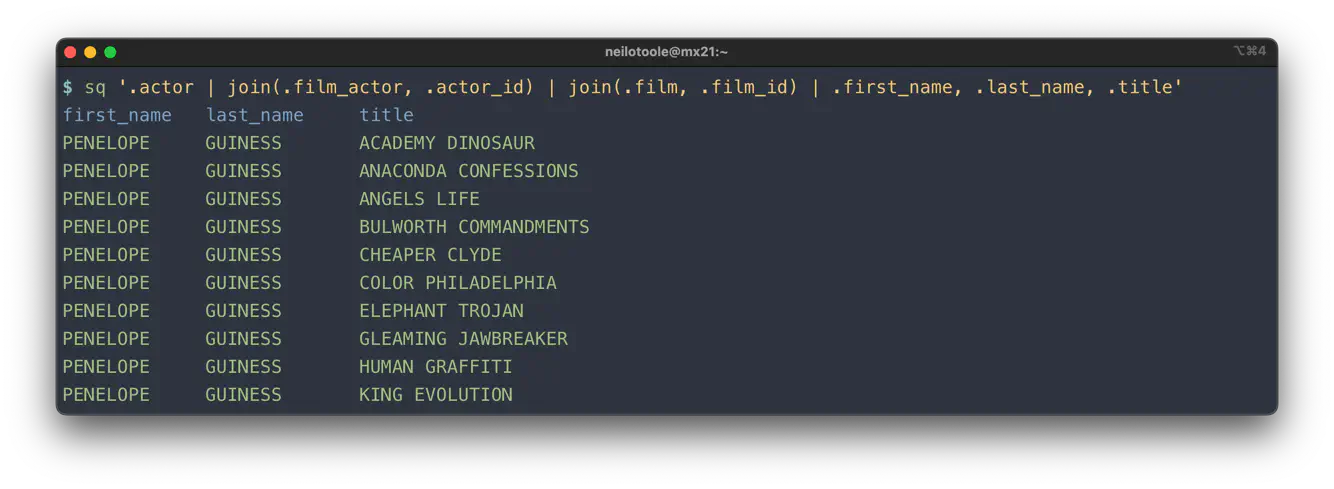
The general form of a join is:
join_type(.table, predicate_expression)
Join types
The usual SQL join types are supported, except NATURAL JOIN1. Each join
type has a short form and a synonym, e.g. fojoin and full_outer_join. You can use
either form in your query.
| Join type | Synonym | SQL | Notes |
|---|---|---|---|
join | inner_join | INNER JOIN | A plain SQL JOIN is actually an INNER JOIN |
ljoin | left_join | LEFT JOIN | |
lojoin | left_outer_join | LEFT OUTER JOIN | |
rjoin | right_join | RIGHT JOIN | |
rojoin | right_outer_join | RIGHT OUTER JOIN | |
fojoin | full_outer_join | FULL OUTER JOIN | Not supported in MySQL |
xjoin | cross_join | CROSS JOIN | Doesn’t take a predicate, e.g. xjoin(.film_actor) |
Join predicate
The join predicate is an expression that renders to the SQL JOIN ... ON x term.
Let’s take our terse example from above.
$ sq '.actor | join(.film_actor, .actor_id) | join(.film, .film_id) | .first_name, .last_name, .title'
The most explicit form of that query would be (linebreaks added for legibility):
$ sq '.actor
| join(.film_actor, .actor.actor_id == .film_actor.actor_id)
| join(.film, .film_actor.film_id == .film.film_id)
| .actor.first_name, .actor.last_name, .film.title'
The query above is obviously needlessly verbose.
Table aliases
We can use table aliases to make the query more legible:
$ sq '.actor:a
| join(.film_actor:fa, .a.actor_id == .fa.actor_id)
| join(.film:f, .fa.film_id == .f.film_id)
| .a.first_name, .a.last_name, .f.title'
Table aliases work like column aliases.
Aliases also serve to disambiguate cross-source joins where participants happen to share a table name; see Same-name tables across sources below.
Note that table aliases aren’t restricted to join scenarios. You can generally use them anywhere you reference a table, although it’s often somewhat pointless:
# No table alias
$ sq '.actor | .first_name, .last_name'

# With table alias
$ sq '.actor:a | .a.first_name, .a.last_name'
Unary join predicate
In the common case where tables are joined on equality of identically-named columns, you can simply specify the column name.
# Explicit column equality predicate
$ sq '.actor | join(.film_actor, .actor.actor_id == .film_actor.actor_id)'

# Much better!
$ sq '.actor | join(.film_actor, .actor_id)'
This form is logically equivalent to SQL’s USING(col) mechanism, although
sq chooses to render it using the explicit equality comparison ON tbl1.col = tbl2.col.
Multiple join predicates
The join predicate is an expression, and can feature an arbitrary number of terms. For example:
$ sq '.tbl1 | join(.tbl2, .tbl1.col1 == .tbl2.col1 && .tbl1.col2 != .tbl2.col2)'
This would render to:
SELECT * FROM "tbl1" INNER JOIN "tbl2"
    ON "tbl1"."col1" = "tbl2"."col1"
    AND "tbl1"."col2" != "tbl2"."col2"
Like any sq expression, you can add parentheses if desired.
$ sq '.tbl1 | join(.tbl2, (.tbl1.col1 == .tbl2.col1) && (.tbl1.col2 != .tbl2.col2))'
No join predicate
CROSS JOIN is the odd man out, in that it doesn’t take a predicate.
$ sq '.film:f | xjoin(.language:l) | .f.title, .l.name'
Cross-source joins
sq can join across two or more data sources. Given three sources:
@sakila/pg12(Postgres)@sakila/my8(MySQL)@sakila/ms17(Microsoft SQL Server)
You can join them as follows:
$ sq '@sakila/pg12.actor
| join(@sakila/my8.film_actor, .actor_id)
| join(@sakila/ms17.film, .film_id)
| .first_name, .last_name, .title'
If there’s an active source (@sakila/pg12 in this example),
you don’t need to qualify the left (first) table:
$ sq '.actor
| join(@sakila/my8.film_actor, .actor_id)
| join(@sakila/ms17.film, .film_id)
| .first_name, .last_name, .title'
If the handle is omitted from any join table reference, the table’s source is assumed to be that of the leftmost table.
$ sq '@sakila/pg12.actor
| join(@sakila/my8.film_actor, .actor_id)
| join(.film, .film_id)
| .first_name, .last_name, .title'
In the example above, the .film table’s source is taken
to be the same as the @sakila/pg12.actor
table’s source, i.e. @sakila/pg12.
With @sakila/pg12 as the active source, this query is equivalent to the above:
$ sq '.actor
| join(@sakila/my8.film_actor, .actor_id)
| join(.film, .film_id)
| .first_name, .last_name, .title'
How do cross-source joins work?
The implementation is very basic (and could be dramatically enhanced). Given a two-source join:
sqcopies the full contents of the left table to the join DB.sqcopies the full contents of the right table to the join DB.sqexecutes the query against the join DB.
Given that this naive implementation perform a full copy of both tables, cross-source joins are only suitable for smaller datasets.
Same-name tables across sources
When two sources contribute tables with the same name, the join DB
can only hold one table by that name. sq resolves this automatically:
the first occurrence keeps its bare name, and subsequent ones get a
numeric-suffixed alias (actor, actor_2, actor_3, …).
$ sq '@src1.actor | join(@src2.actor, .actor_id) | .first_name'
The rendered SQL against the join DB is well-formed:
SELECT "first_name"
FROM "actor"
INNER JOIN "actor_2" ON "actor"."actor_id" = "actor_2"."actor_id"
The same applies when both names differ only in case. sq treats
Actor and actor as colliding because the join DB (SQLite) compares
identifier names case-insensitively even when double-quoted.
If you have already given each participant a distinct table alias, that wins and no rename happens:
$ sq '@src1.actor:a | join(@src2.actor:b, .a.actor_id == .b.actor_id) | .a.first_name'
But two participants in the same cross-source join cannot share an explicit alias. The following is rejected up front:
$ sq '@src1.actor:x | join(@src2.actor:x, .x.actor_id == .x.actor_id) | .first_name'
sq: cross-source join: duplicate table alias "x"
Give them different aliases to fix.
Run with -v to see a debug log line at the point each synthesized
alias is assigned (handle, original name, and the synthesized name).
Ambiguous columns
There are two scenarios where column name ambiguity can cause trouble: in the query, and in the result set.
The query below selects the actor_id column, which exists in both the
actor table and the film_actor table. The query will fail.
$ sq '.actor | join(.film_actor, .actor_id) | .first_name, .actor_id'
sq: ... ERROR: column reference "actor_id" is ambiguous (SQLSTATE 42702)
The solution here is to qualify the .actor_id column, using either the
table name, or table alias (if specified).
# Explicitly specify the column's table
$ sq '.actor | join(.film_actor, .actor_id) | .first_name, .actor.actor_id'

# Same, but using table alias
$ sq '.actor:a | join(.film_actor, .actor_id) | .first_name, .a.actor_id'
If you do want the column values from both tables, you can use a column alias:
$ sq '.actor:a | join(.film_actor:fa, .actor_id)
| .first_name, .a.actor_id:a_actor, .fa.actor_id:fa_actor'
first_name  a_actor  fa_actor
PENELOPE    1        1
What happens if you don’t use a column alias?
$ sq '.actor:a | join(.film_actor:fa, .actor_id) | .first_name, .a.actor_id, .fa.actor_id'
first_name  actor_id  actor_id_1
PENELOPE    1         1
sq automatically renames duplicate column names in the result set. Thus the
second actor_id column becomes actor_id_1. This is most frequently seen
when executing a SELECT * FROM tbl1 JOIN tbl2: note the actor_id_1 and
last_update_1 columns.
 $ sq '.actor | join(.film_actor, .actor_id) | .[0:2]'
actor_id  first_name  last_name  last_update           actor_id_1  film_id  last_update_1
1         PENELOPE    GUINESS    2006-02-15T04:34:33Z  1           1        2006-02-15T05:05:03Z
The renaming behavior is configurable via the result.column.rename
option.
Join examples
# INNER JOIN
$ sq '.actor | join(.film_actor, .actor_id)'

# LEFT JOIN
$ sq '.actor | ljoin(.film_actor, .actor_id)'

# LEFT OUTER JOIN
$ sq '.actor | lojoin(.film_actor, .actor_id)'

# RIGHT JOIN
$ sq '.actor | rjoin(.film_actor, .actor_id)'

# RIGHT OUTER JOIN
$ sq '.actor | rojoin(.film_actor, .actor_id)'

# FULL OUTER JOIN
$ sq '.actor | fojoin(.film_actor, .actor_id)'

# CROSS JOIN
$ sq '.actor | xjoin(.film_actor)'
Functions
sq ships a small “standard library” of portable functions that behave
(more or less) the same whether the backing DB is Postgres, MySQL, etc. They
are grouped below by purpose. For functions specific to a single backend, see
proprietary functions.
Aggregate functions
sq harmonizes the type returned by an aggregate function so the same query
yields the same kind regardless of the backing database. The tables below
summarize what each function returns and where the drivers differ; the
per-function sections that follow have the details.
Result kind by function:
| Function | Result kind | Notes |
|---|---|---|
avg | float | Always floating-point, for portability. Can lose precision beyond roughly 15 to 17 significant digits. |
sum | decimal | Exact for integer and decimal columns. A float column’s sum is surfaced as decimal too, with precision that depends on the driver (see below). |
count, count_unique | int | Row and value counts are always integers. |
max, min | same as the column | No cast; the result kind is inherited from the operand column. |
avg and sum deliberately return different kinds, and the choice reflects each
operation’s nature. An average is inherently fractional and approximate, so avg
is a float, matching jq’s numeric model. A sum of exact values is itself exact,
so sum is a decimal; computing it in float would regress precision. The
current rationale may still
change (see below).In JSON and YAML, a decimal is
rendered as a quoted string by default (so sum(.actor_id) is "20100", not a
bare number), which is precision-safe. Use
--format.decimal=number to render bare numbers instead.
avg and sum are where backends differ most. To keep the surfaced type
uniform, sq injects a SQL cast, or, where a cast can’t help, pins the kind.
The mechanism and any fidelity caveat vary by driver:
| Driver | avg | sum | Fidelity notes |
|---|---|---|---|
postgres | cast result to DOUBLE PRECISION | cast result to unconstrained NUMERIC | Sum is exact; full scale preserved. |
mysql | cast result to DOUBLE | cast result to DECIMAL(65, 30) | Full scale preserved (MySQL maxima). |
sqlite3 | native (float) | kind pinned, no SQL cast | A sum over a non-integer column is computed in float, so small drift is possible. |
rqlite | native (float) | kind pinned, no SQL cast | As sqlite3, plus a very large integer sum (beyond 2^53) can drift over the HTTP API. |
sqlserver | cast operand to FLOAT | cast operand to DECIMAL(38, 6) | Operand cast avoids integer-division truncation and overflow; the sum rounds per row at 6 places. |
clickhouse | native (float) | cast result to Nullable(Decimal(38, 6)) | Rounds to 6 fractional places; overflows beyond 32 integer digits. |
oracle | cast result to BINARY_DOUBLE | cast result to NUMBER(38, 6) | Rounds to 6 fractional places; overflows beyond 32 integer digits. count, count_unique, and rownum are pinned to int. |
duckdb | native (float) | kind pinned, no SQL cast | Native sum over integer (HUGEINT) and decimal columns is lossless; a DOUBLE column’s sum is computed in float, so small drift is possible. |
sq harmonizes numeric types is still evolving. Proposed changes, including
config options such as result.numeric.type, portable cast functions like
decimal(x), int(x), and float(x), and normalizing the / division
operator, are under discussion in
#845. The details described
here may change in future versions.avg
avg returns the average of all non-null values of the column.
$ sq '.payment | avg(.amount)'
avg(.amount)
4.2006673312974065
avg returns a floating-point value on every SQL driver, so its type is
consistent regardless of source. On Postgres and MySQL, whose native AVG
returns an exact decimal, sq casts the result to a float for portability,
which can lose precision for averages beyond roughly 15 to 17 significant
digits. If you need the exact decimal, query with native SQL via the
sq sql command.
AVG over an integer column natively performs integer division
and truncates (the average of 1 to 200 would be 100, not 100.5). sq
casts the operand to a float so avg returns the true fractional value.count
The no-arg count function returns the total number of rows.
$ sq '.actor | count'
count
200
That renders to SQL as:
SELECT count(*) AS "count" FROM "actor"
With an argument, count(.x) returns a count of the number of times
that .x is not null in a group.
# count of non-null values in col first_name
$ sq '.actor | count(.first_name)'
You can also supply an alias:
$ sq '.actor | count:quantity'
quantity
200
count_unique
count_unique counts the unique non-null values of a column.
$ sq '.actor | count_unique(.first_name)'
count_unique(.first_name)
128
max
max returns the maximum value of the column.
$ sq '.payment | max(.amount)'
max(.amount)
11.99
min
min returns the minimum non-null value of the column.
$ sq '.payment | min(.amount)'
min(.amount)
0
sum
sum returns the sum of all non-null values for the column. If there are no
input rows, null is returned.
$ sq '.payment | sum(.amount)'
sum(.amount)
67416.51
sum over an integer or decimal column returns a decimal value on every SQL
driver, so its type is consistent regardless of source. Unlike avg,
sum is not cast to a float: the sum of integers or of exact decimals is itself
exact, and a float would lose precision. In JSON output a decimal is rendered as
a quoted string, so sum(.actor_id) is "20100" rather than a bare number.
SQLite (and rqlite) compute a sum over a non-integer column in floating point
internally, so such a sum can carry a small drift (for example
67416.51000000001 instead of 67416.51). The surfaced type is still a
decimal, but a value the engine already computed in float cannot be recovered
after the fact. SQLite sums over integer columns are exact; on rqlite a very
large integer sum (beyond 2^53) can also drift, because rqlite returns numbers
over its HTTP API as floating point.
On Oracle, ClickHouse, and SQL Server the decimal cast uses a fixed
DECIMAL(38, 6). So a sum of a column with more than 6 fractional digits is
rounded to 6 places, and a sum whose integer part needs more than 32 digits
overflows (a query error). On SQL Server the operand is cast before summing, so
that rounding is applied per row. Postgres (unconstrained NUMERIC) and MySQL
(its maximum scale of 30) preserve the full scale. DuckDB is not cast (its
native sum is already a lossless decimal for integer and decimal columns); a sum
over a DOUBLE column is computed in float and surfaced as a decimal, so it can
carry the same small drift as SQLite. The common integer and currency cases are
unaffected.
String functions
These functions test a column against a string and return a boolean, so
they’re typically used inside where. Each
case-sensitive function has a case-insensitive counterpart prefixed with i
(for example contains / icontains). The
like / ilike pair exposes raw SQL LIKE wildcards;
the other functions treat their argument as a literal substring.
contains
contains(col, str) is true when col contains str as a substring.
Matching is always case-sensitive, regardless of the backend’s default
collation. See also: startswith, endswith.
$ sq '.actor | where(contains(.first_name, "AN"))'
The second argument must be a quoted string literal. Any %, _, or |
characters in the literal are escaped automatically, so you don’t need to
think about LIKE wildcards. On SQL Server, [ and ] are also escaped
because SQL Server’s LIKE treats [...] as a character class (e.g.
without escaping, contains(.col, "[A-Z]") would match any uppercase
letter instead of the literal [A-Z] substring).
Under the hood, sq chooses the right primitive per driver to guarantee
case-sensitive matching:
- Postgres / DuckDB: native
LIKE(already case-sensitive). - Oracle: native
LIKE(case-sensitive whenNLS_COMP=BINARY, which is Oracle’s default; sessions that setNLS_COMP=LINGUISTICwith a case-insensitiveNLS_SORTwill get case-insensitive matching). - ClickHouse: native
position()function. - MySQL:
LIKE BINARY, to force byte-level comparison. - SQL Server:
LIKEwithCOLLATE Latin1_General_BIN2. - SQLite:
instr()(SQLite’s defaultLIKEis ASCII case-insensitive).
An empty pattern matches every non-NULL row, consistent across all
drivers. That is, contains(.col, ""), startswith (.col, ""),
and endswith (.col, "") each behave like .col IS NOT NULL.
Unlike jq’s polymorphic contains, SLQ’s contains is string-only: it
does not operate on arrays or objects.
For case-insensitive matching, use icontains. For
matching user-controlled wildcard patterns (where % and _ are
significant), use like / ilike.
icontains
icontains(col, str) is true when col contains str as a
substring, case-insensitively. The case-sensitive counterpart is
contains; see that section for escaping behavior
(%, _, and the engine escape character are auto-escaped before
being bound).
$ sq '.actor | where(icontains(.first_name, "angela"))'
Per-driver implementation:
- Postgres / DuckDB: native
ILIKE. - MySQL / Oracle:
LOWER(col) LIKE LOWER(pat) ESCAPE '|', via the default renderer (no driver-specific override). Explicit lowercasing on both sides keeps the shape portable across collation configurations. - SQL Server:
LIKEwithCOLLATE Latin1_General_CI_AS. - SQLite:
LIKE ... ESCAPE '|'(SQLite’s default LIKE is ASCII case-insensitive; non-ASCII characters are not case-folded unless the ICU extension is loaded). - ClickHouse: native
positionCaseInsensitive().
An empty pattern matches every non-NULL row, consistent across
drivers — same as contains.
startswith
startswith(col, str) is true when col begins with str. Matching is
always case-sensitive. See contains for the per-driver
mechanism and escaping notes.
$ sq '.actor | where(startswith(.last_name, "Mc"))'
For case-insensitive matching, use istartswith. For
matching user-controlled wildcard patterns (where % and _ are
significant), use like / ilike.
istartswith
istartswith(col, str) is true when col starts with str,
case-insensitively. The case-sensitive counterpart is
startswith; see contains for escaping
behavior.
$ sq '.actor | where(istartswith(.last_name, "mc"))'
Per-driver implementation mirrors icontains; on
ClickHouse, startsWithCaseInsensitive() is used. An empty pattern
matches every non-NULL row.
endswith
endswith(col, str) is true when col ends with str. Matching is always
case-sensitive. See contains for the per-driver mechanism
and escaping notes.
$ sq '.actor | where(endswith(.last_name, "son"))'
For case-insensitive matching, use iendswith. For
matching user-controlled wildcard patterns (where % and _ are
significant), use like / ilike.
iendswith
iendswith(col, str) is true when col ends with str,
case-insensitively. The case-sensitive counterpart is
endswith; see contains for escaping
behavior.
$ sq '.actor | where(iendswith(.last_name, "son"))'
Per-driver implementation mirrors icontains; on
ClickHouse, endsWithCaseInsensitive() is used. An empty pattern
matches every non-NULL row.
like
like(col, pattern) exposes raw LIKE-pattern matching, where %
matches any sequence and _ matches any single character. Unlike
contains and friends, wildcards in pattern are
not auto-escaped: the user controls them. pattern may be either
a quoted string literal or a column selector — see Column as pattern below.
$ sq '.actor | where(like(.first_name, "Pen%"))'
$ sq '.actor | where(like(.last_name, "Mc_"))'
Matching is case-sensitive on Postgres, DuckDB, MySQL (LIKE BINARY),
SQL Server (COLLATE Latin1_General_BIN2), and ClickHouse. Oracle is
case-sensitive under its default NLS_COMP=BINARY setting; sessions that
set NLS_COMP=LINGUISTIC with a case-insensitive NLS_SORT get
case-insensitive matching — same caveat as contains.
SQL Server character classes: SQL Server’s LIKE treats […] as
a character-class wildcard (e.g. [A-Z] matches any uppercase
letter). like and ilike pass the pattern through verbatim, so on
SQL Server like(.col, "[abc]") matches a single character — a,
b, or c — whereas on every other driver it matches the literal
three-character substring [abc]. Use contains if you
need portable literal-substring matching.
SQLite quirk: SQLite’s default LIKE is ASCII case-insensitive,
so on SQLite like behaves the same as ilike for ASCII
input. This matches SQLite’s standard semantics rather than
overriding them globally via PRAGMA case_sensitive_like.
Non-ASCII characters are not case-folded unless the ICU extension is
loaded — same caveat as icontains.
No ESCAPE '|' clause is emitted on any driver, so | is a literal
character in the pattern. Other engine-default escape semantics remain
driver-specific — notably MySQL’s default backslash escape (\) still
applies in LIKE patterns unless the session sets the
NO_BACKSLASH_ESCAPES SQL mode. If you need to match a literal % or
_ rather than treat them as wildcards, use contains,
which auto-escapes wildcards in the pattern.
An empty pattern matches only empty strings (col = '') — not every
non-NULL row, in contrast with contains (.col, "").
That difference is intentional and matches standard SQL LIKE
semantics.
Column as pattern
The pattern argument can be a column selector instead of a quoted string literal, enabling column-vs-column matching:
$ sq '.actor | where(ilike(.first_name, .last_name))'
$ sq '.events | where(like(.message, .pattern))'
Useful for matching stored rules against incoming data, correlated
pattern lookups, and similar data-wrangling workflows. NULL values
in the RHS column yield NULL from LIKE, which WHERE treats as
false (row excluded); this matches standard SQL semantics. Wildcards
(%, _) in the RHS column’s data behave exactly as in a literal
pattern — they are not auto-escaped, since the value isn’t known
until execution.
The contains family stays literal-only by design. Its
auto-escape of wildcards in the user pattern is performed at SLQ-render
time over a known string; extending it to a column RHS would require
emitting per-driver SQL-level escaping (e.g. nested REPLACE chains)
that’s out of scope for v1.
ilike
ilike(col, pattern) is the case-insensitive counterpart to
like. % and _ are wildcards in pattern and are not
auto-escaped. As with like, pattern may be either a quoted string
literal or a column selector.
$ sq '.actor | where(ilike(.first_name, "pen%"))'
$ sq '.actor | where(ilike(.first_name, .last_name))'
Per-driver implementation:
- Postgres / DuckDB: native
ILIKE. - MySQL / Oracle:
LOWER(col) LIKE LOWER(pat). - SQL Server:
LIKEwithCOLLATE Latin1_General_CI_AS. - SQLite: plain
LIKE(already ASCII-CI by default). - ClickHouse: native
ILIKE.
No ESCAPE '|' clause is emitted on any driver — see like
for escape behavior and Column as pattern for
column-RHS semantics. For literal % / _ matching, use
icontains, which auto-escapes wildcards.
Other functions
catalog
catalog returns the default catalog of the DB connection.
See also: schema.
# Postgres source
$ sq 'catalog()'
sakila
catalog honors the --src.schema flag, when used in
the catalog.schema form. For example:
# Override both catalog and schema via the catalog.schema form
$ sq --src.schema postgres.information_schema 'catalog(), schema()'
catalog()  schema()
postgres   information_schema
However, not every driver supports the catalog mechanism fully.
- MySQL treats catalog and schema as somewhat
interchangeable.
It’s a mess. But, looking into
INFORMATION_SCHEMA.SCHEMATA, MySQL listsCATALOG_NAMEasdef(fordefault). Thus, with a MySQL source,catalog()returns the value ofCATALOG_NAME, i.e.def. - SQLite doesn’t support catalogs at all. Nor does it implement
INFORMATION_SCHEMA. Rather than returnNULLor an empty string,sq’s SQLite driver chooses to implementcatalog()by returning the stringdefault.
schema
schema returns the default schema of the DB connection.
See also: catalog.
# Postgres source
$ sq 'schema()'
public

# Switch to SQL Server source
$ sq src @sakila/ms19
$ sq 'schema()'
dbo
schema honors the --src.schema flag, except for SQL Server.
This is because SQL Server does not permit setting the default
schema on a per-connection basis (it can only be changed per-user). Thus, schema()
always returns the user’s default schema, which is typically dbo.
# Postgres source
$ sq src @sakila/pg12
$ sq --src.schema information_schema 'schema()'
schema()
information_schema

# SQL Server doesn't honor --src.schema
$ sq src @sakila/ms19
$ sq --src.schema information_schema 'schema()'
schema()
dbo
rownum
rownum returns the one-indexed row number of the current row.
$ sq '.actor | rownum(), .first_name | order_by(.first_name)'
rownum()  first_name
1         ADAM
2         ADAM
3         AL
rownum should typically be invoked in conjunction with order_by,
or the order of the rows may be undefined.
It’s trivial to return zero-indexed row numbers: simply subtract 1 from the result.
$ sq '.actor | rownum()-1, .first_name | order_by(.first_name)'
rownum()-1  first_name
0           ADAM
1           ADAM
2           AL
Although, you may want to use a column alias:
$ sq '.actor | rownum()-1:index, .first_name | order_by(.first_name)'
index  first_name
0       ADAM
1       ADAM
2       AL
Proprietary functions
The standard functions listed above are all portable: that is to say, they
behave (more or less) the same whether the backing DB is Postgres, MySQL, etc.
Portability / compatability is a primary design goal for sq. Over time,
it’s probable that sq’s “standard library” of portable functions will grow.
However, sometimes you simply need to invoke a function that exists only
in Postgres, or SQL Server, etc. To invoke such a function, simply prefix
the proprietary function name with an underscore.
# SQLite "strftime"
$ sq '@sakila | .payment | _strftime("%m", .payment_date)'

# MySQL "date_format"
$ sq '@sakila/mysql | .payment | _date_format(.payment_date, "%m")'

# Postgres "date_trunc" func
$ sq '@sakila/postgres | .payment | _date_trunc("month", .payment_date)'

# SQL Server "month" func
$ sq '@sakila | .payment | _month(.payment_date)'
NATURAL JOINis not implemented, for several reasons. It’s not universally supported (e.g. SQL Server). It’s considered an anti-pattern by some. And in testing, it doesn’t always work consistently from one DB to the other, leading to user surprise. That said, it’s possible this decision will be reconsidered based on user feedback. ↩︎